

We may receive a commission on purchases made from links.
With a wide range of electronics using the HDMI, which stands for High-Definition Multimedia Interface.HDMI cables are extremely common for transmitting audio and video in homes, second only to USB cables. But, as with many current technologies, HDMI has evolved significantly, and the newest version, HDMI 2.2, offers far more capabilities than the original HDMI 1.0. To support these advancements, HDMI cables have also been upgraded. Typically, with each major HDMI version release, the HDMI Forum also introduces a new cable specification designed to meet the demands of the updated standard. A prime example is the Ultra96 HDMI Cable specification, which was launched alongside HDMI 2.2.
There’s a wide variety of HDMI cables available, frequently known by informal names such as “4K HDMI cable” or “8K HDMI cable” instead of their official designations. Regrettably, these common names often lack specific details, which can make it difficult for consumers to determine if they’re purchasing the appropriate cable. To clarify this, let’s examine what 4K and 8K HDMI cables are and if there’s actually a distinction between them.
Read more: 5 Ways To Use Your TV’s USB Port To Level Up Your Device
What exactly are HDMI cables designed for 4K and 8K resolutions?
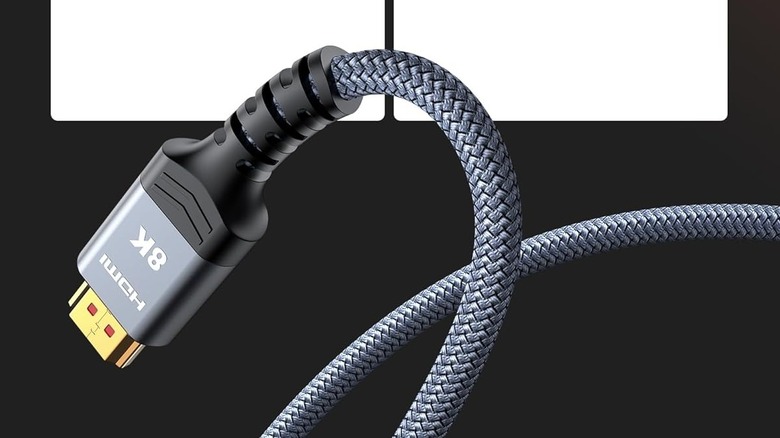
As previously stated, the terms “4K HDMI cable” and “8K HDMI cable” are not official designations. They generally refer to any HDMI cable capable of transmitting a 4K or 8K video signal. However, these terms don’t specify the exact HDMI version standard the cable adheres to. To illustrate, a “4K HDMI cable” might only support HDMI 1.4, the initial HDMI version with 4K resolution support, but its 10.2 Gbps bandwidth restricted it to a 4K 30Hz signal. A good illustration of this is:StarTech 4K HDMI Monitor Cable. Another HDMI cable marketed as a 4K HDMI cable could support HDMI 2.0, which is a newer version than HDMI 1.4 and has a higher bandwidth to support 4K 60Hz signals, among other features. The Highwings 4K HDMI Cable is one such example.
Even though they’re marketed as 4K HDMI cables, neither HDMI 1.4 nor 2.0 cables are capable of transmitting 4K 120Hz signals from gaming systems like the.Sony PlayStation 5 or the Xbox Series X. Likewise, an 8K HDMI cable might be compatible with HDMI 2.1, which supports an 8K signal at 60Hz, or HDMI 2.2, which can manage 8K signals at 120Hz. Therefore, the 4K or 8K designation in the product name can be quite deceptive. A manufacturer might label a cable that adheres to the HDMI 2.1 standard as a 4K HDMI cable, while another might market the same cable as an 8K HDMI cable, and both would be accurate. Consequently, if 4K or 8K HDMI cable names aren’t reliable, what factors should consumers consider when purchasing HDMI cables?
The better way to buy an HDMI cable
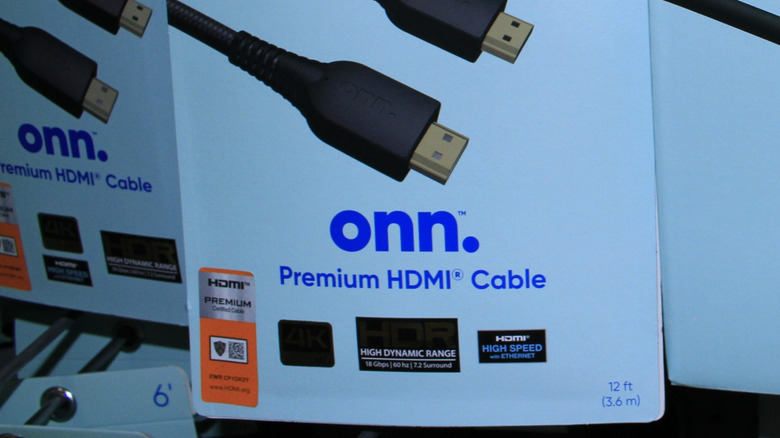
The most important identifier for an HDMI cable is branding recommended by HDMI Licensing Administrator, Inc. (HDMI LA), which is responsible for naming the official cables and managing their certification program. It has nine official names for HDMI cables supporting different capabilities, starting from Standard HDMI Cable and going all the way to the Ultra96 HDMI Cable. However, for the vast majority of buyers, the three HDMI cable names that really matter are Ultra High Speed HDMI Cable, Premium High Speed HDMI Cable, and High Speed HDMI Cable. Although the Ultra96 HDMI Cable is the newest, you’ll be hard-pressed to find hardware supporting it. The Ultra High Speed HDMI Cable was announced alongside the HDMI 2.1 specification and can handle a bandwidth of 48Gbps, allowing it to send 8K 60Hz and 4K 120Hz signals — sufficient for most needs.
The Premium High Speed HDMI Cable is designed to support a bandwidth of 18Gbps and up to 4K 60Hz signals, which is suitable for 4K HDR video streaming and non-high-refresh-rate gaming. The High Speed HDMI Cable is limited to a bandwidth of 10.2Gbps, and is most suitable for 4K 30Hz and 1080p 60Hz signals, i.e., for content consumption. You can look for these official cable names while shopping. Unfortunately, some manufacturers don’t use these names because they can’t use them without the official certification. So, in the absence of the official name, the next best thing is to identify the cable bandwidth, such as 10.2Gbps, 18Gbps, or 48Gbps, and match it with the official nomenclature.
Enjoyed this article? Sign up to Alpine Times’s free newsletter and add us as a preferred search source for the latest in tech and entertainment, plus tips and advice you’ll actually use.
Read the original article on Alpine Times.